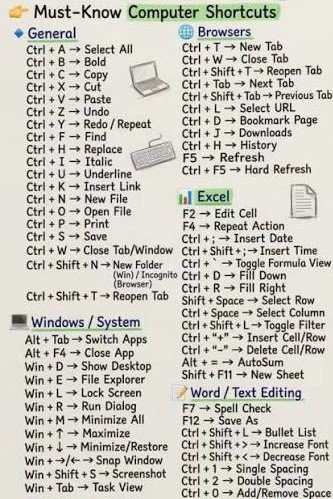
Basic Computer Course – Learn Essential Computer Skills
In today’s digital world, basic computer skills are essential for students, job seekers, homemakers, professionals, and small business owners. Our Basic Computer Course provides practical training in computer fundamentals, MS Office, internet usage, typing, and essential digital skills.
Whether you are a complete beginner or want to improve your computer knowledge, this course helps you build confidence for everyday digital tasks and entry-level jobs.
What Is a Basic Computer Course?
A Basic Computer Course is an introductory program designed to teach essential computer and digital skills. You will learn how to operate a computer, manage files, create professional documents, work with spreadsheets, make presentations, browse the internet, and use online services safely.
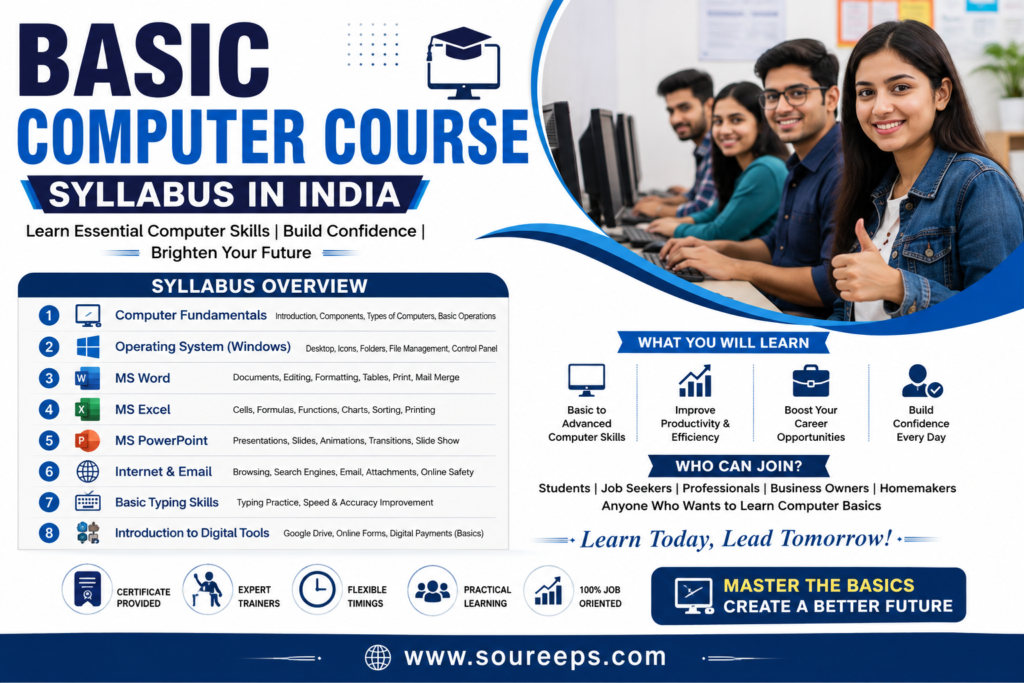
Basic Computer Course Syllabus
Computer Fundamentals
Introduction to computers and their applications
Hardware and software
Computer components and operating systems
Windows and basic file management
English typing
MS Word
Creating, editing, formatting, saving, and printing documents
Tables, headers, footers, page breaks, lists, and styles
Spelling and grammar tools
Mail Merge and SmartArt
Document protection and project work
MS Excel
Workbook, worksheet, rows, columns, and cells
Data entry and formatting
Basic formulas and functions
Sorting, filtering, and data management
Charts, Pivot Tables, VLOOKUP, HLOOKUP, and logical functions
MIS reports and project work
MS PowerPoint
Creating and formatting presentations
Slide transitions and animations
Charts, graphs, and images
Professional presentation design
Printing and project work
Internet & Digital Skills
Internet and browser basics
Searching, downloading, and storing information
Email and digital communication
Online form submission
Online bill payment and ticket booking
Safe browsing and basic cybersecurity
Modern Digital & AI Skills
Windows 11 and cloud storage basics
Google Drive and OneDrive
Microsoft Office 365
Professional email and video-conferencing etiquette
Introduction to AI tools such as ChatGPT for productivity
Phishing awareness and two-factor authentication
Course Duration
The Basic Computer Course generally takes 3 to 6 months, depending on the institute, class schedule, and learning mode. Both online and offline learning options may be available.
Who Can Join?
This computer course is suitable for:
Beginners and complete novices, Students, Job seekers, Homemakers,
Small business owners, Anyone who wants to improve digital skills
Career Opportunities
After completing a basic computer course, you can apply for entry-level roles such as:
Data Entry Operator
Computer Operator
Office Assistant
Receptionist
Back Office Executive
Retail/POS Operator
The course can also provide a foundation for advanced training in Excel, programming, graphic design, digital marketing, web design, and other IT skills.
Benefits of Learning Computer Skills
Learning basic computer skills can help you:
Improve employability
Work more efficiently
Create professional documents and reports
Use online services independently
Improve typing and digital productivity
Stay safer while using the internet
Build confidence with modern technology
Why Learn a Basic Computer Course?
A Basic Computer Course is a practical starting point for anyone entering the digital world. From MS Word and Excel to PowerPoint, internet usage, online services, cybersecurity, and AI-assisted productivity, the course provides essential skills for education, employment, and everyday life.
Ready to improve your computer skills? Enroll in a Basic Computer Course and start building your digital skills today.